Model Training and Inference
17 minutes1. Model Training and Inference
1.1 Algorithm Training
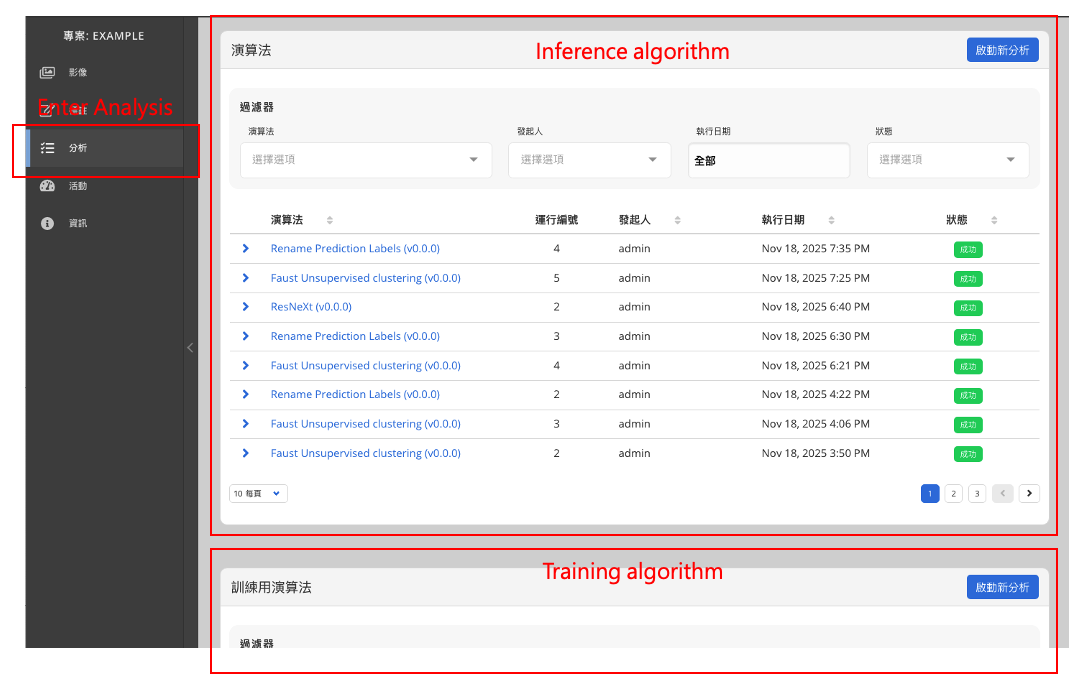
In the project page, click the Analysis section on the left to enter the algorithm area.
This page is divided into two sections:
Top: Algorithms → for inference
Bottom: Training Algorithms → for model training
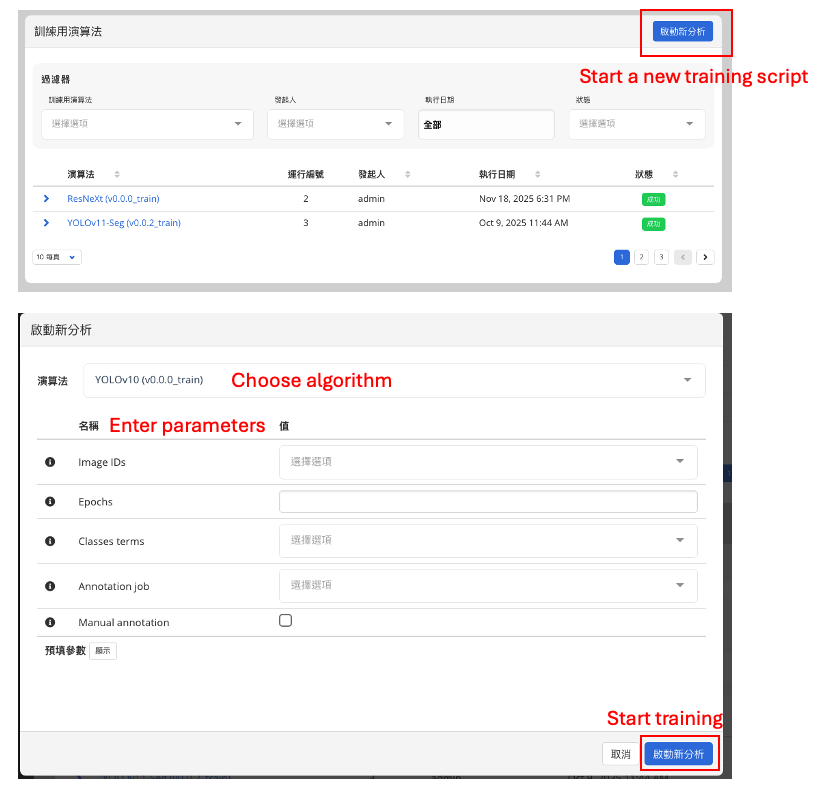
▶ Start Training
In the Training Algorithms section, select the model you wish to train.
Click Start New Analysis to configure the training task.
The system currently provides the following algorithm types:
- YOLO (object detection / image segmentation)
- SAM (smart segmentation)
- ResNeXt (image classification)
▶ Configurable Training Parameters
-
Training Data Source
- Input specific image IDs for training
- Or select all images in the project
- Choose annotation sources:
- Manual Annotation
- Annotation Job (model-generated annotations)
-
Basic Training Parameters
- Number of epochs
- Select class terms to train
- Fraction of validation dataset
- Patch size
- Batch size
- Learning rate
These parameters vary slightly depending on the model type.
1.2 Algorithm Inference
After training is complete, go to Analysis → Algorithms to view available models and perform inference.
Different algorithms provide different adjustable options, such as:
- Confidence score threshold
- Maximum number of detections
- Grid size
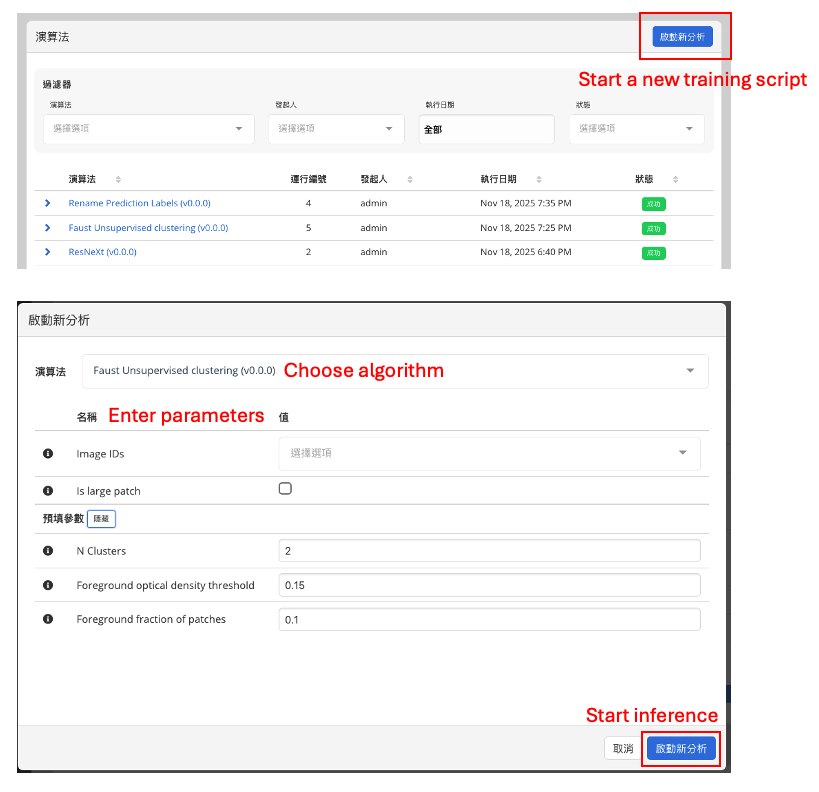
▶ Faust: Unsupervised Algorithm
The platform includes the Faust unsupervised learning model
(see the blog post and the original publication).
Faust requires the following parameters:
- Whether the image is a large patch (Is large patch)
→ If enabled, the system will automatically enlarge the patch size by 4× - Number of clusters (N Clusters)
- Foreground optical density threshold
- Foreground fraction threshold
▶ Annotation Post-processing: Rename Prediction Label
The platform provides a Rename prediction label task for renaming model-generated annotations.
Use cases include:
- Semi-supervised learning workflows
- Standardizing model output categories
- Organizing labels across multiple models