Basic Introduction
20 minutes1. System Overview
ATrISys is a pathology image management and annotation platform based on Cytomine, designed for Whole Slide Images (WSIs). It supports:
- Image storage and management
- Multi-level image visualization
- Annotation, measurement, and classification
- Multi-user collaborative annotation
- AI training data preparation
The platform allows multiple researchers to annotate the same image collaboratively and provides comprehensive permission control and project management features.
2. Login and Basic Interface
2.1 Login
ATrISys currently provides demo access via reservation.
To use the platform, please fill out the application form.
We will provide an account and password soon after review.
⚠️ After logging in, it is recommended to set your personal information and password in your account settings page.
2.2 Main Interface Overview
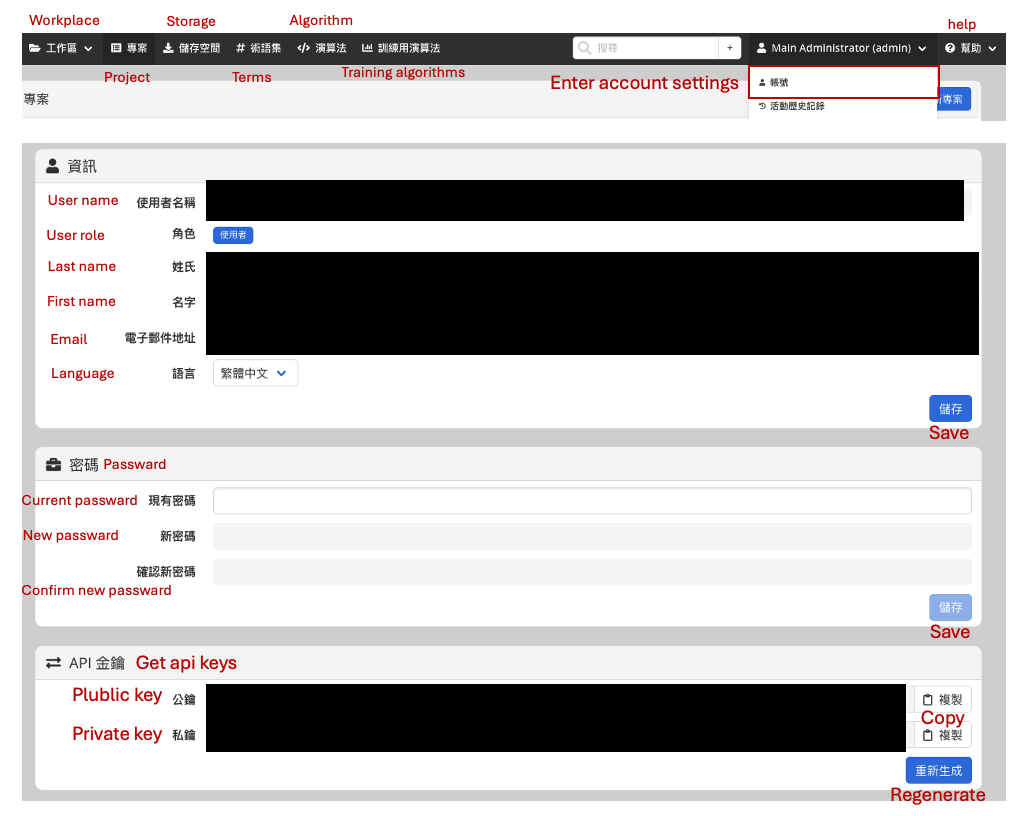
After logging in, you will see the following sections in the sidebar and top menu:
- Projects:Displays all projects you are participating in
- Storage:Image upload area, thumbnails, and management tools
- Terms:Definition and management of annotation categories
- Algorithm:List of available algorithm/model versions
- Training Algorithms:Supported AI training models
- User Account Settings:Modify personal information and password
In addition, under the user account section, you will find:
Cytomine-based API Public/Private Keys (for using the platform API independently)
→ For API documentation, refer to the API guide
3. Project Management (Administrators Only)
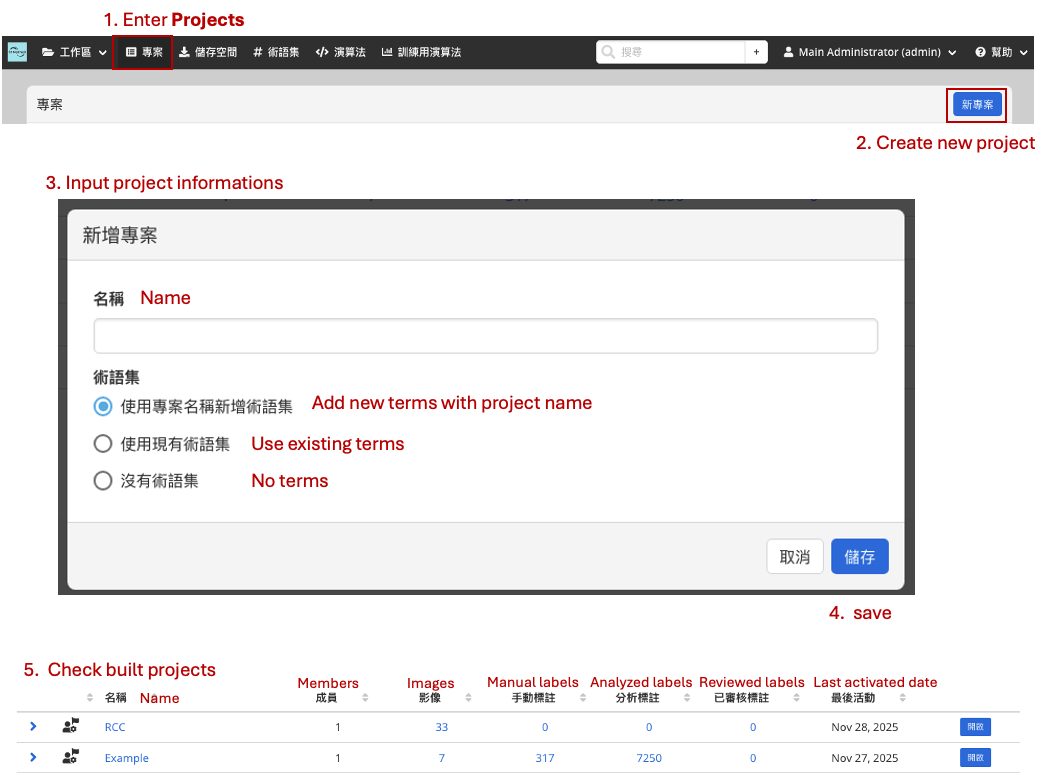
3.1 Create a Project
-
Go to Projects → Click New Project
-
Input:
- Project title
- terms(can be added or modified after creation)
-
Once created, the following information will be displayed in the left panel:
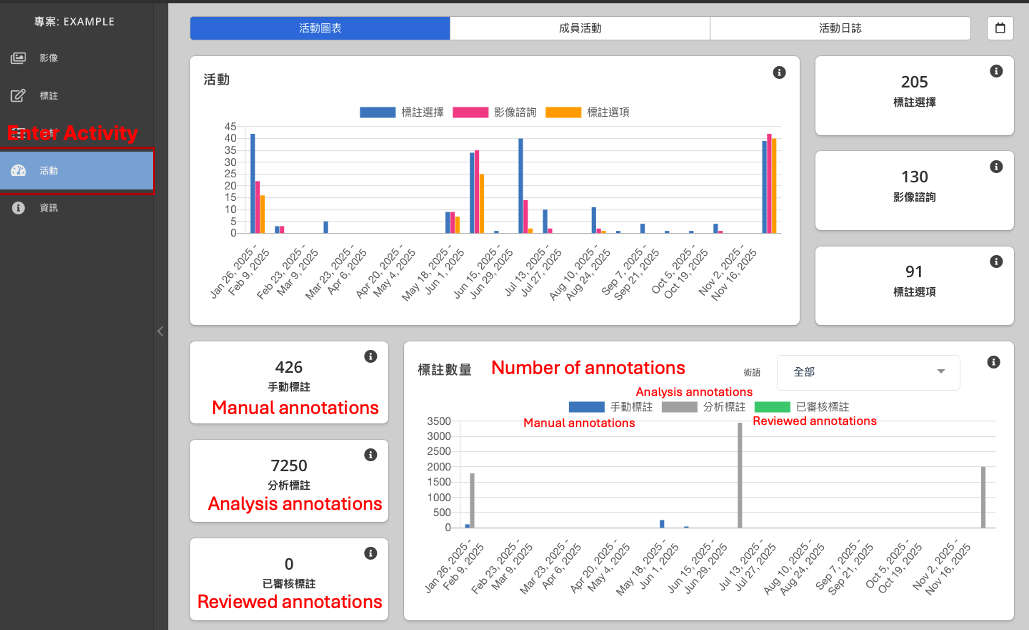
3.2 Activity List
Displays recent project activities, including:
- Number of user annotations
- Terms used
- Member activity
- Annotation statistics
You can also configure user roles:
- Project Administrator
- Project Contributor
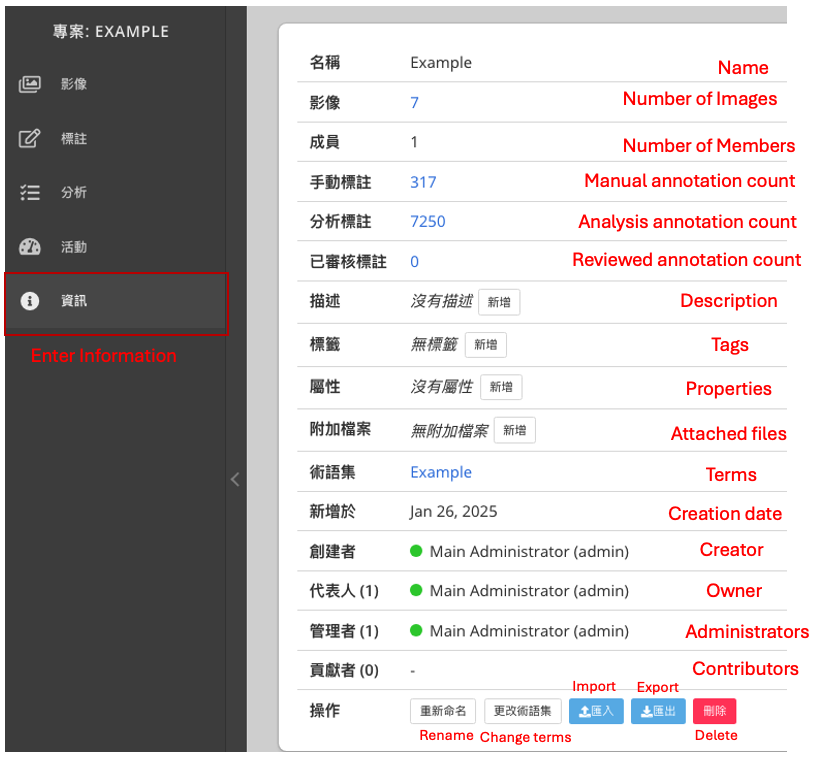
3.3 Information List
- Name:Project Name
- Number of images
- Number of members
- Manual annotation count
- Analysis annotations (AI-generated)
- Reviewed annotation count
- Description:Additional notes
- Tags:For workflow management, e.g., “Completed”
- Properties:Additional fields for AI training
- Attached files
- Terms
- Creation date
- Creator
- Owner
- Administrators / Contributors list
Administrators may also perform the following actions:
- Rename the project
- Modify project settings
- Import / Export terms